

Property Data with Claude
Build Datafiniti property queries with Claude — in a plain conversation you run yourself, or by letting a connected Claude run them for you.
Claude — Property Examples
Official Claude connector awaiting approval
The official Datafiniti Claude connector is still awaiting approval. Until approved, the built-in connector may not be available in Claude. You can still connect manually by configuring the Datafiniti MCP server yourself — see the MCP Server guide for instructions.
This guide shows how to get property data out of Datafiniti using Claude. It covers both of Claude's paths: a plain conversation where Claude writes a query and you run it, and connected mode where Claude runs queries itself through the MCP server. For setup of either path, see the Claude page.
For the field reference behind these queries, see the Property Data Schema, Constructing Property Queries, and Possible Values for Property Fields.
The goal
We want single-family homes currently for sale in Austin, TX — and we'll have Claude build the query, then run it ourselves.
Build the query in conversation
You don't need to connect anything. Paste in the property query guide and the possible-values page, describe what you want, and let Claude draft and explain the query.
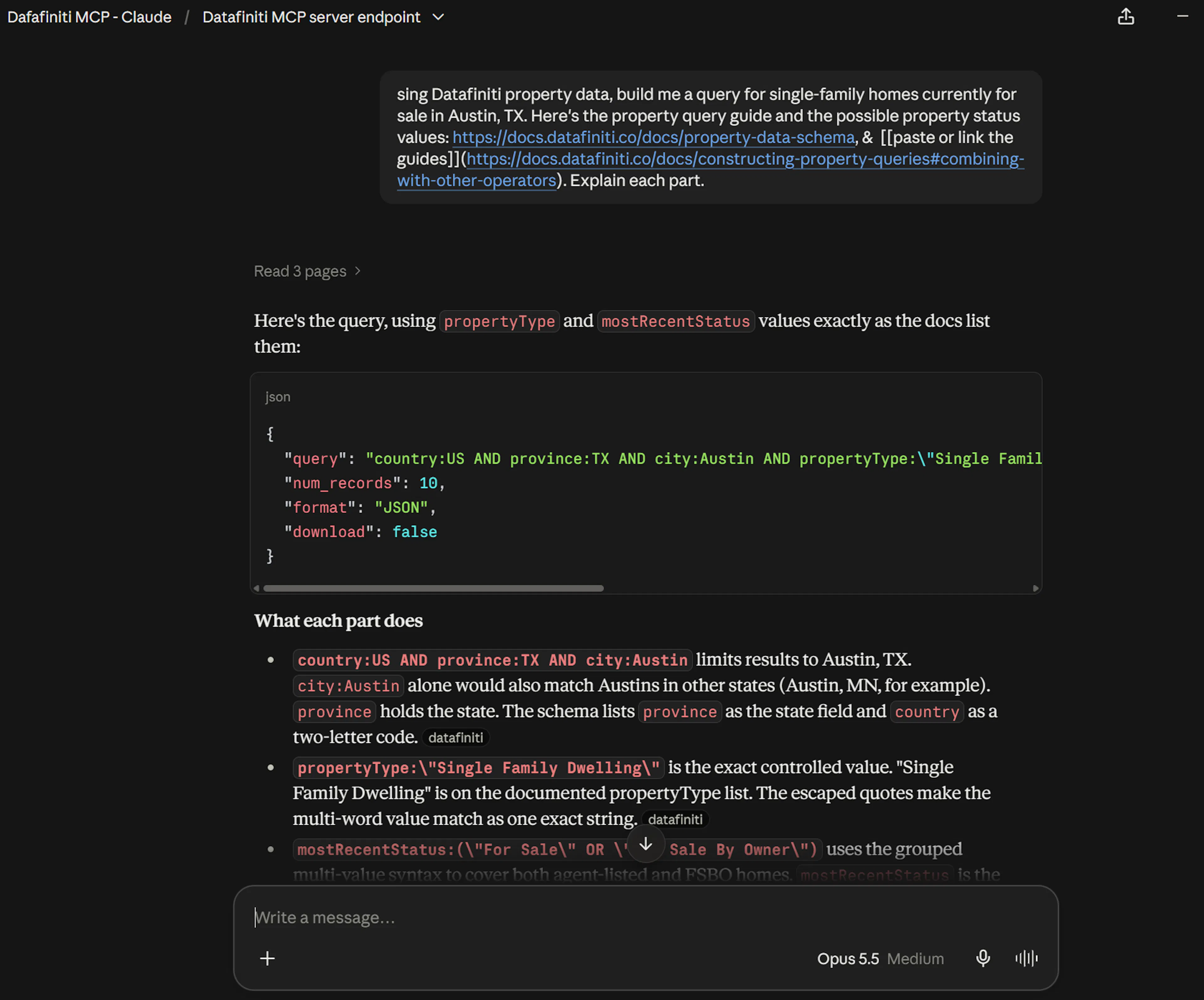
You: Using Datafiniti property data, build me a query for single-family homes currently for sale in Austin, TX. Here's the property query guide and the possible property status values: [paste or link the guides]. Explain each part.
Claude: Here's the query:
country:US AND province:TX AND city:Austin AND propertyType:"Single Family Dwelling" AND mostRecentStatus:"For Sale"
country:US AND province:TX AND city:Austinlimits to Austin, Texas.propertyType:"Single Family Dwelling"restricts to single-family homes — an exact value from the Possible Values page.mostRecentStatus:"For Sale"filters to active sale listings. (For rentals you'd usemostRecentRentalStatusinstead — a rental status on the sale field returns nothing.)
Run the query yourself
Exact-match quoting: " vs \"
When a value is quoted for an exact match (like the one above), which quote form to use depends on where the query goes. In the raw query string, use plain double quotes: FIELD:"value". When that query is a value inside a JSON tool argument or request body, the inner quotes must be escaped as \" so the JSON stays valid: "query": "FIELD:\"value\"". Some coding platforms and clients expect one form over the other — if a query returns an error or no results, check that the quoting matches the context you're pasting into.
Give Claude the right context
Claude writes much better property queries when you paste in Constructing Property Queries and Possible Values for Property Fields. Without them it will guess at field names and status values, and property status in particular is easy to get wrong.
Take the query Claude produced and run it in Postman, cURL, or an SDK. Mind the exact-match quoting (see the note above) — plain " in the raw query, escaped \" inside JSON:
{
  "data_type": "property",
  "query": "country:US AND province:TX AND city:Austin AND propertyType:"Single Family Dwelling" AND mostRecentStatus:"For Sale"",
  "num_records": 5,
  "view": [{"name": "address"}, {"name": "city"}, {"name": "province"}, {"name": "mostRecentPriceAmount"}]
}
In a plain conversation Claude only writes the query — nothing is charged until you run it yourself.
Connected mode: let Claude run it
If you've connected the Datafiniti MCP server to Claude (see the Claude page), skip the copy-paste and just ask:
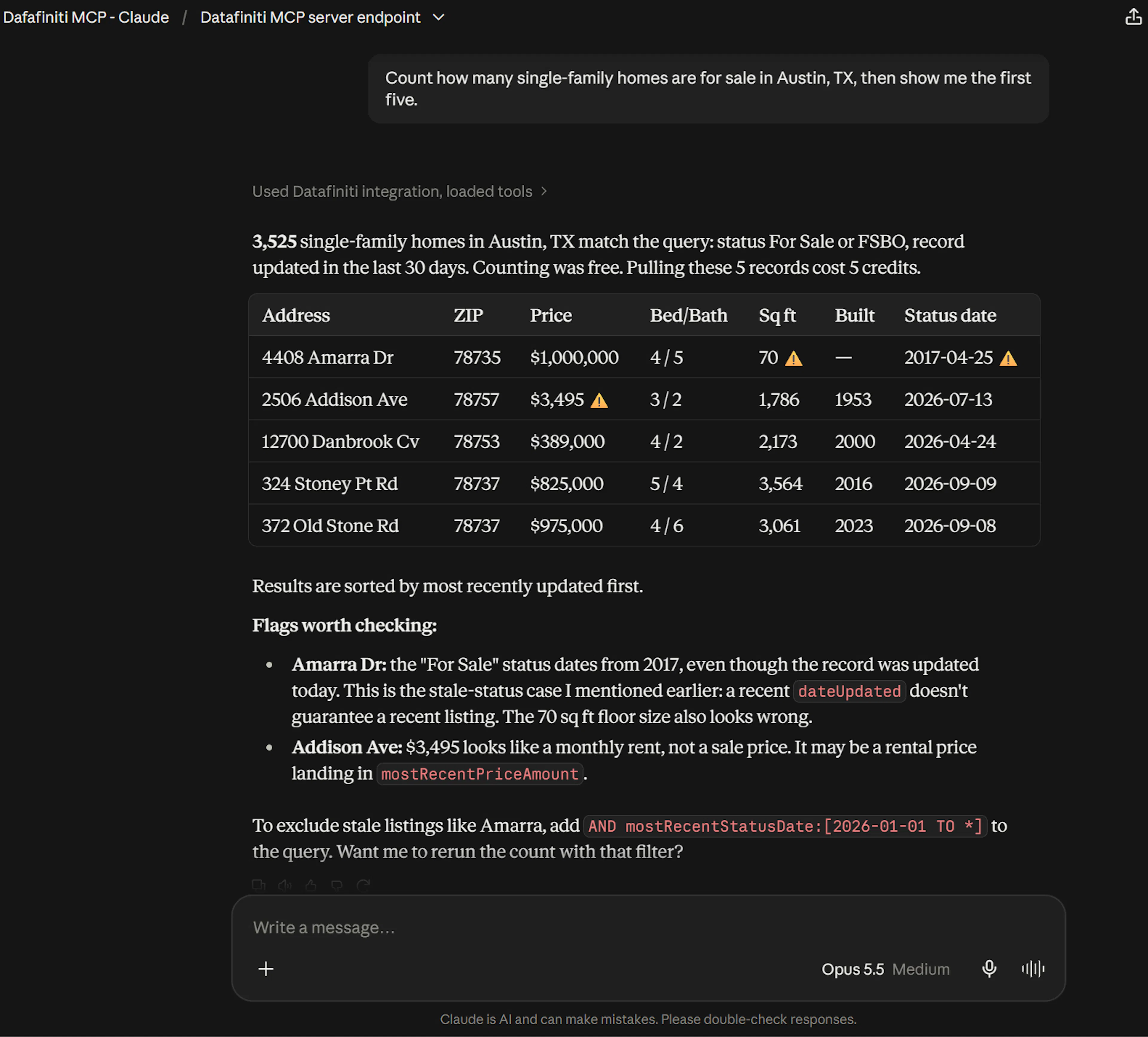
You: Count how many single-family homes are for sale in Austin, TX, then show me the first five.
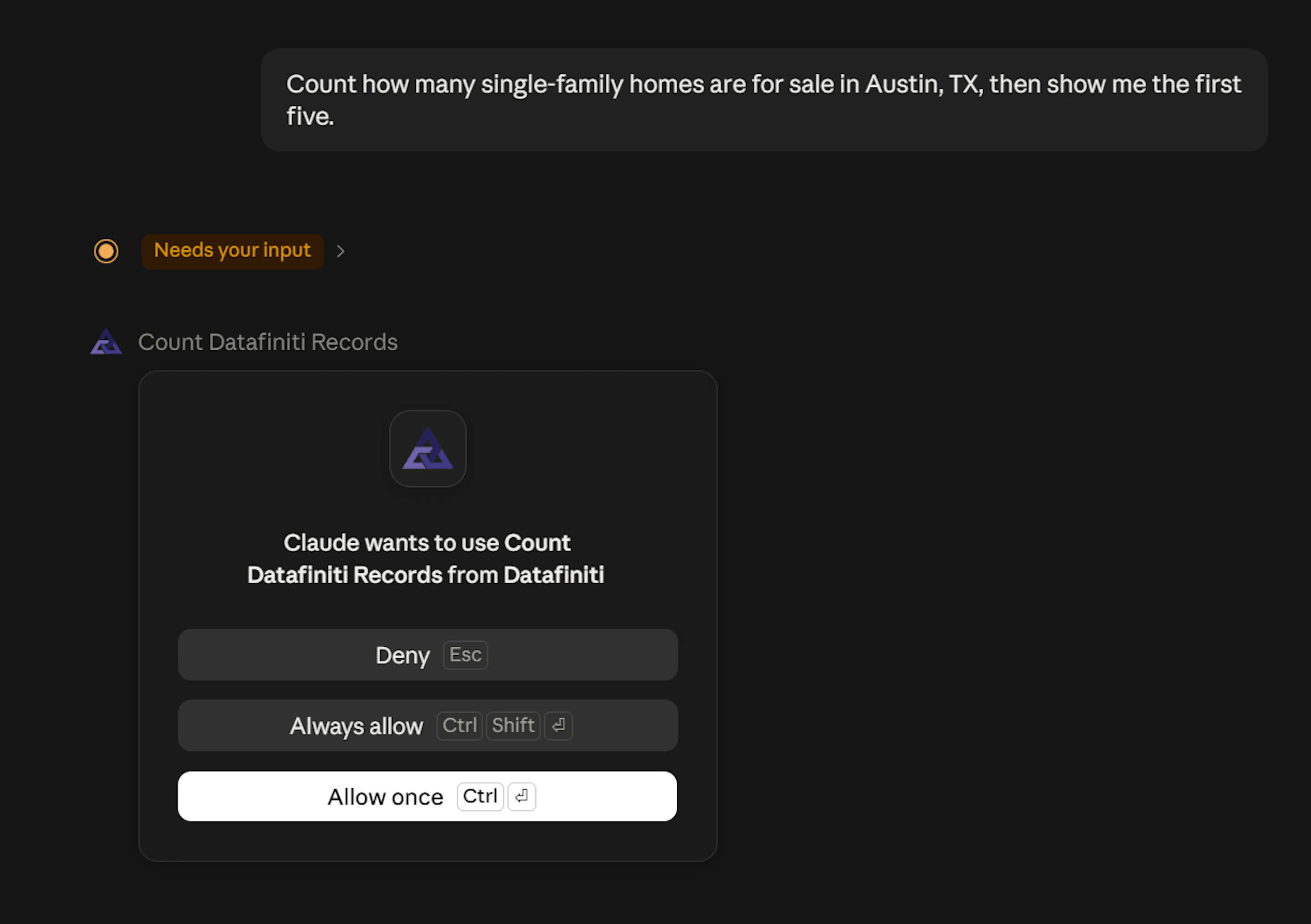
Claude Connection Request
Claude may ask for permission to use your Datafiniti connection for your chat. In this case please note that you will be liable for the API request generated from these requests. This may be deducted from your credit limit. For more about how credits work.
Claude calls df_count first (free) to size the result, then df_search for the sample and summarizes what comes back. Under the hood the count call looks like:
{
  "data_type": "property",
  "query": "country:US AND province:TX AND city:Austin AND propertyType:"Single Family Dwelling" AND mostRecentStatus:"For Sale""
}
With the connector active, searches and downloads charge credits against the Datafiniti account you authorized; counting is free. See MCP Server for the full tool reference, and Property Data with AI for property fields, statuses, and prompts.
\
Use case: discover when a client sold their home
A common real-estate workflow is watching a list of client addresses for a status change — so you can follow up when someone lists or sells. The Discover when clients sell their homes guide walks through this end to end; here's how Claude helps you build the per-address check.
Say you have a client at 1023 Jollyville Rd, Austin, TX 78703 and you want to know whether their home has had a recent status change.
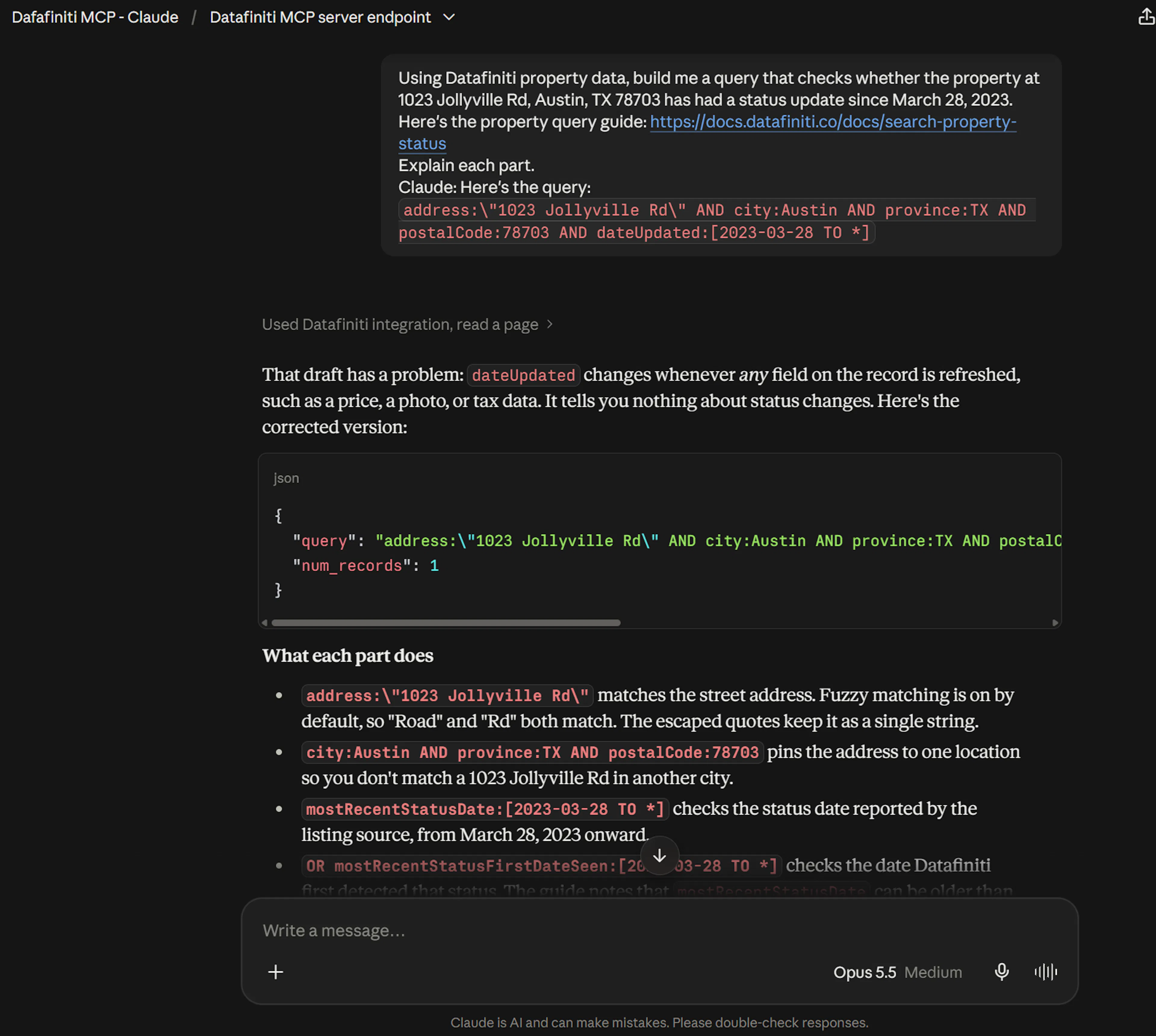
You: Using Datafiniti property data, build me a query that checks whether the property at 1023 Jollyville Rd, Austin, TX 78703 has had a status update since March 28, 2023. Here's the property query guide: [paste or link the guide]. Explain each part.
Claude: Here's the query:
address:\"1023 Jollyville Rd\" AND city:Austin AND province:TX AND postalCode:78703 AND dateUpdated:[2023-03-28 TO *]
- The address, city, province, and postal code pin the exact property.
dateUpdated:[2023-03-28 TO *]is an open-ended range that only matches if the record was updated on or after that date — so a hit means something changed recently.- When a record comes back, read
mostRecentStatusandmostRecentStatusDateto see the new status and when it took effect.
To run this across a whole client list, have Claude loop the query over each address and advance the dateUpdated floor each day so you only catch new changes. If the connector is active, Claude can call df_search per address directly; otherwise it builds each query and you run them. For the full walkthrough — including turning the results back into a CRM-ready file — see Discover when clients sell their homes.
Owner and transaction data timing
Homeowner contact details and transaction records are typically available within about two weeks after a property is marked sold, while deed and ownership updates are validated and matched. For more info on matching home owners to their property.
Next steps
- Same flow for People, Product, or Business data.
- Setup for both paths: Claude.
- Full tool reference: MCP Server.