

People Data with Claude
Build Datafiniti people queries with Claude — in a plain conversation you run yourself, or by letting a connected Claude run them for you.
Claude — People Examples
Official Claude connector awaiting approval
The official Datafiniti Claude connector is still awaiting approval. Until approved, the built-in connector may not be available in Claude. You can still connect manually by configuring the Datafiniti MCP server yourself — see the MCP Server guide for instructions.
This guide shows how to get people data out of Datafiniti using Claude. It covers both of Claude's paths: a plain conversation where Claude writes a query and you run it, and connected mode where Claude runs queries itself through the MCP server. For setup of either path, see the Claude page.
For the field reference behind these queries, see the People Data Schema and Constructing People Queries.
The goal
We want people with a "Chief Executive Officer" title in the US — and we'll have Claude build the query, then run it ourselves.
Build the query in conversation
You don't need to connect anything. Paste in the people query guide, describe what you want, and let Claude draft and explain the query.
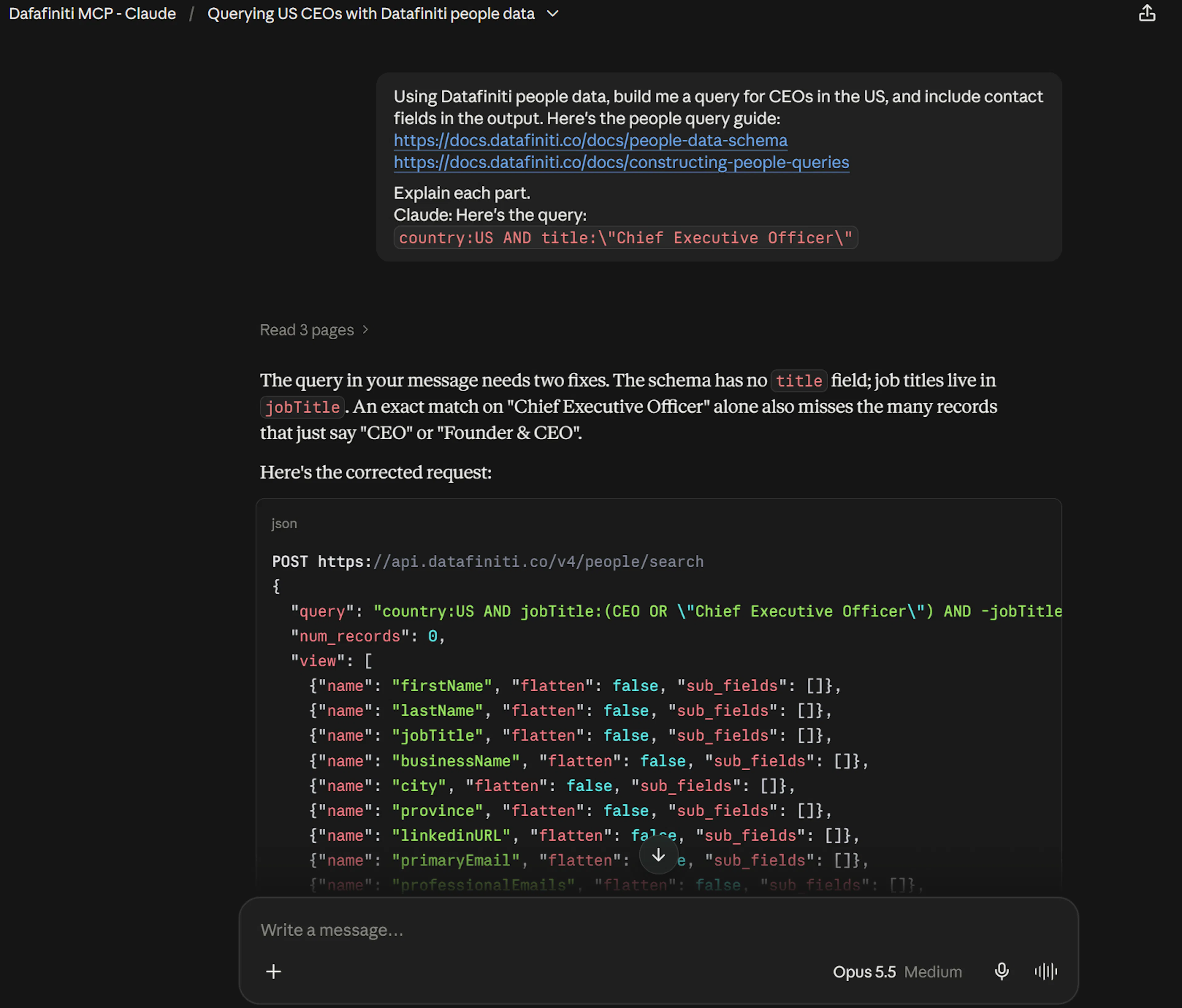
You: Using Datafiniti people data, build me a query for CEOs in the US, and include contact fields in the output. Here's the people query guide: [paste or link the guide]. Explain each part.
Claude: Here's the query:
country:US AND title:"Chief Executive Officer"
country:USlimits to the United States.title:"Chief Executive Officer"matches the exact job title.Add a
viewwithname,emails, andphonesto pull contact details into the results.
Run the query yourself
Exact-match quoting: " vs \"
When a value is quoted for an exact match (like the one above), which quote form to use depends on where the query goes. In the raw query string, use plain double quotes: FIELD:"value". When that query is a value inside a JSON tool argument or request body, the inner quotes must be escaped as \" so the JSON stays valid: "query": "FIELD:\"value\"". Some coding platforms and clients expect one form over the other — if a query returns an error or no results, check that the quoting matches the context you're pasting into.
Give Claude the right context
Claude writes better people queries when you paste in Constructing People Queries. Field names like title, emails, and phones come straight from the schema — confirm them there rather than letting the model guess.
Take the query Claude produced and run it in Postman, cURL, or an SDK:
{
  "data_type": "people",
  "query": "country:US AND title:"Chief Executive Officer"",
  "num_records": 5,
  "view": [{"name": "name"}, {"name": "title"}, {"name": "company"}, {"name": "emails"}, {"name": "phones"}]
}
In a plain conversation Claude only writes the query — nothing is charged until you run it yourself.
Connected mode: let Claude run it
If you've connected the Datafiniti MCP server to Claude (see the Claude page), ask it to run the query directly:
You: How many US CEOs are in the data? Then show me the first five with their contact info.
Claude calls df_count first (free), then df_search with a contact-field view, and summarizes the results. With the connector active, searches and downloads charge credits against the account you authorized; counting is free.
Use case: link people to the properties they own or represent
One of the most powerful people-data workflows is connecting a person to the properties they own or broker — for lead enrichment, ownership confirmation, or risk assessment. The Accessing property data linked to people records guide walks through this. It's a two-step cross-reference, and orchestrating that back-and-forth is exactly what Claude is good at.
Datafiniti links a person to the property database through three top-level fields: propertyKeys (any linked property), propertiesOwned (properties the person owns), and propertiesRepresented (properties a broker represents).
Step 1 — find people with a linked property
Ask Claude to build a people query that filters for homeowners in a location:
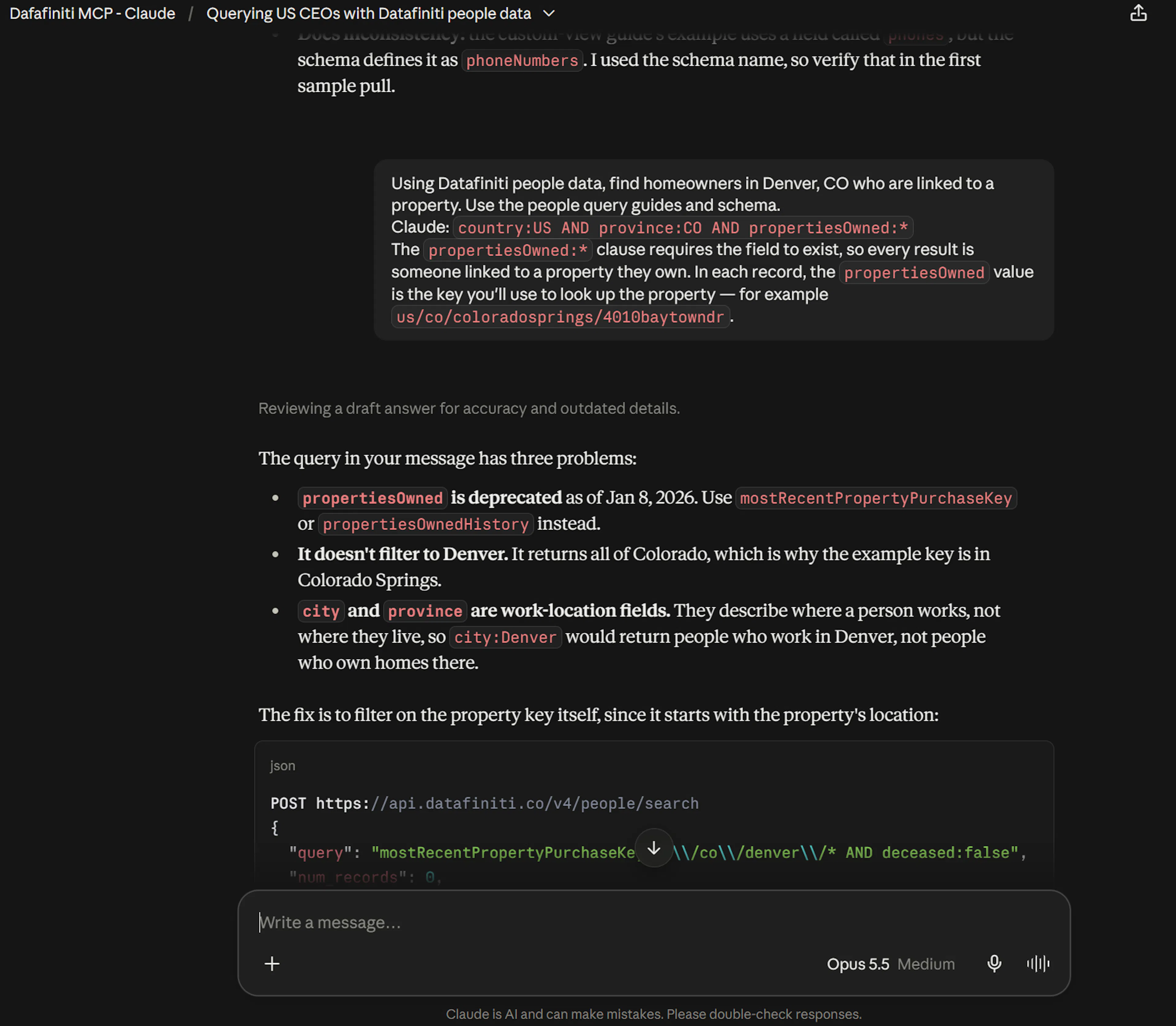
You: Using Datafiniti people data, find homeowners in Denver, CO who are linked to a property. Here's the people query guide and schema: [paste or link].
Claude:
country:US AND province:CO AND propertiesOwned:*The
propertiesOwned:*clause requires the field to exist, so every result is someone linked to a property they own. In each record, thepropertiesOwnedvalue is the key you'll use to look up the property — for exampleus/co/coloradosprings/4010baytowndr.
For brokers instead of owners, swap in propertiesRepresented:*.
Step 2 — look up the linked property
Take the key from step 1 and cross-reference it against the property database. For an owner, the key matches the property's keys field; for a broker, it matches brokers.people_key:
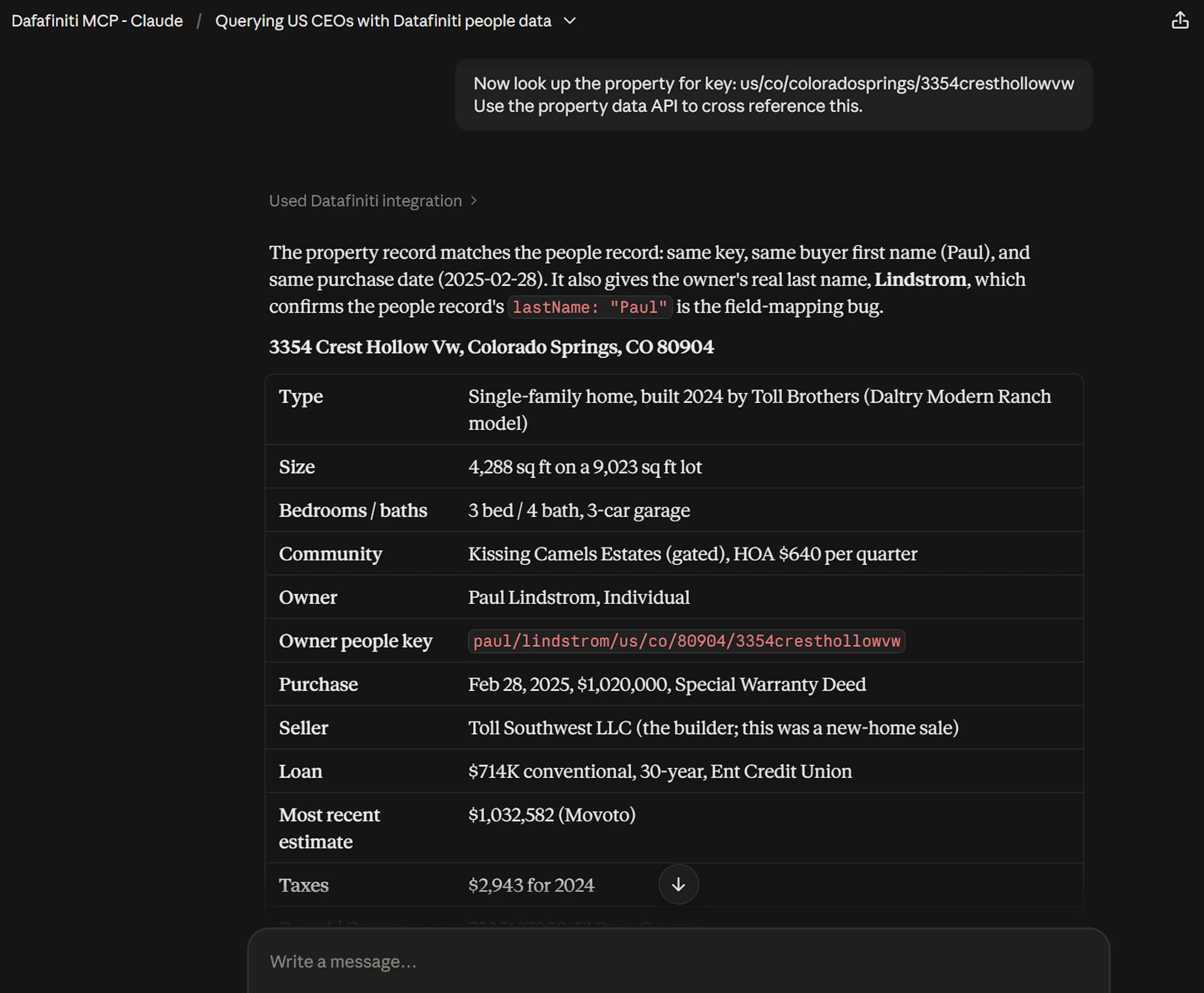
You: Now look up the property for key us/co/coloradosprings/4010baytowndr. Use the property data API to cross reference this.
Claude:
keys:"us/co/coloradosprings/4010baytowndr"
Run it yourself, or let a connected Claude chain the two calls — people search, then property lookup — in one conversation:
{
  "data_type": "property",
  "query": "keys:"us/co/coloradosprings/4010baytowndr"",
  "num_records": 1
}
The property record brings back the detail that enriches the person: transactions (recorded sales), mostRecentStatus (current status, useful for lead timing), and geoLocation (for finding comparable nearby properties).
A property lookup needs a property data plan
Step 2 queries the property database, which requires property data credits on your plan. Check your subscription if you're unsure. Step 1 (people search) uses people credits as usual.
For the full walkthrough — including the broker path and the fields that matter most — see Accessing property data linked to people records.
Next steps
- Same flow for Property, Product, or Business data.
- Setup for both paths: Claude.
- Full tool reference: MCP Server.