

Other LLMs
Use any capable model with Datafiniti — via MCP, tool-calling, or plain conversation — by supplying the API endpoint, authentication, and query syntax.
Using Other LLMs & Datafiniti's MCP
You aren't limited to Claude, ChatGPT, or Codex. Any capable model can work with Datafiniti, because AI access is just the Datafiniti API plus its query syntax. This is one of several ways to use Datafiniti with AI — see the Overview — and it's the catch-all for models that have their own MCP support, their own tool-calling, or nothing but a chat box.
There are three approaches, in rough order of how tightly the model is wired to Datafiniti.
Approach 1 — MCP (if the model's client supports it)
If your model runs in a client or framework with MCP support, add the Datafiniti MCP server as a connector and the model can call the Datafiniti tools directly.
URL:    https://api.datafiniti.co/v4/mcp
Auth:   Bearer AAAXXXXXXXXXXXX
Transport: Streamable HTTP
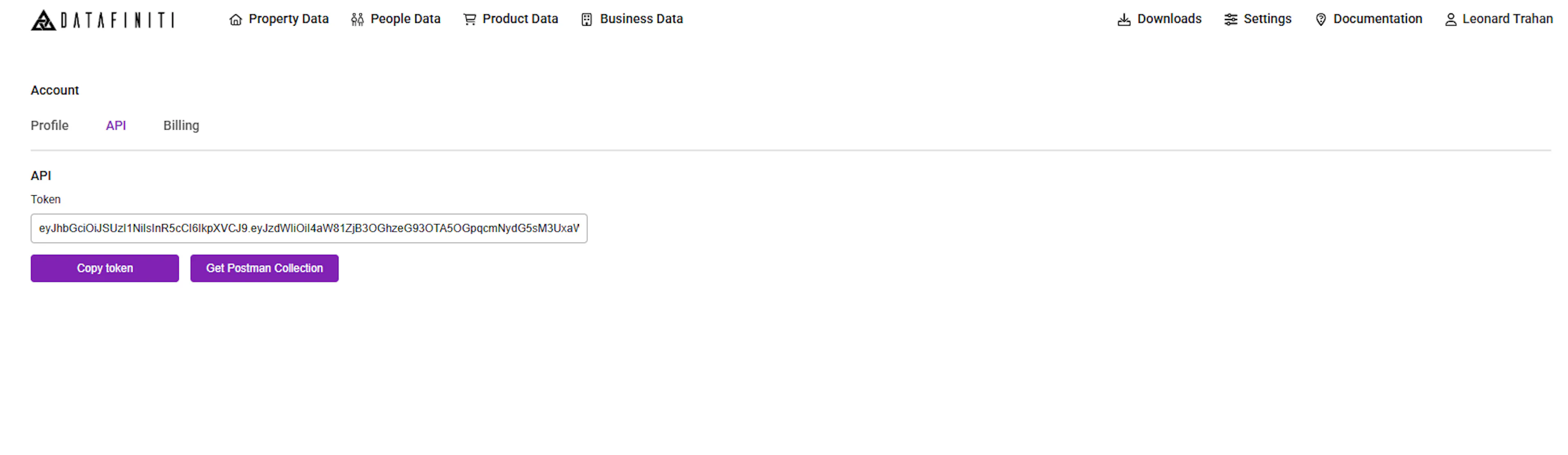
Use the same bearer token as REST, from the Datafiniti Web Portal. For the full tool reference, see MCP Server.
Approach 2 — Tool-calling / function-calling
If the model supports tools or functions but not MCP, register the Datafiniti REST search endpoint as a tool. Define a function that:
- Sends a request to the Datafiniti search endpoint with an
Authorization: Bearerheader. - Takes a
querystring plus optionalnum_records,view, anddownload. - Returns the JSON response (
num_found,total_cost,records).
Then put the query syntax in the system prompt so the model builds valid queries:
Datafiniti queries use field:value syntax with boolean operators
(AND, OR), negation (-), parentheses for grouping, dot notation for
nested sub-fields (e.g. descriptions.value), ranges for date/number
fields, and {} to match multiple sub-fields within one nested object.
Exact-match values use escaped quotes, e.g. brand:"Apple".
Approach 3 — Plain conversation (any model)
Any model with a chat interface can help you build queries even with no integration at all. Paste in the relevant query-construction guide and schema for your data type, describe what you want, and let the model draft a query. Then run it yourself in Postman, cURL, an SDK, or the Portal.
This works everywhere, keeps your credentials out of the model, and costs no credits until you run the finished query.
Give the model the right context
Less capable or less familiar models especially benefit from being handed the actual reference material — the query-construction guide for your data type (for example Constructing Product Queries) and the possible-values page for any enum fields. Without it, a model will guess at field names and syntax.
What every approach needs
Regardless of model or approach, the essentials are the same:
| Requirement | Value |
|---|---|
| Endpoint (MCP) | https://api.datafiniti.co/v4/mcp |
| Authentication | Authorization: Bearer <your token> |
| Token source | Datafiniti Web Portal |
| Query syntax | Per data type — see the constructing-queries guides |
| Response shape | num_found, total_cost, records |
Credits and permissions
- With MCP or tool-calling (Approaches 1–2), the model runs real queries, so searches and downloads charge credits exactly as REST does, under your token's permissions.
- With plain conversation (Approach 3), building a query costs nothing; only running it yourself uses credits.
Verifying model output
Because a less familiar model may produce an invalid query, it's worth confirming queries before trusting large pulls:
- Run the model's query through
df_count(or a REST count) first — a zero or absurd count usually means a bad field name or unescaped quote. - Check field names against the data type's schema page.
- Test in Postman before automating.