

ChatGPT / Codex
Use Datafiniti from ChatGPT or Codex — through MCP support or by giving the model the API details and query syntax to call it as a tool.
Using ChatGPT / Codex & Datafiniti's MCP
ChatGPT connector awaiting OpenAI approval
The Datafiniti ChatGPT connector is still awaiting approval from OpenAI. Until approved, the MCP and tool/action integration paths described below may not be available in ChatGPT or Codex. The plain-conversation approach (Option C) works regardless of approval status. You can also connect manually by configuring the Datafiniti MCP server yourself — see the MCP Server guide for instructions.
You can use Datafiniti from ChatGPT or Codex in two ways: connect the Datafiniti MCP server where MCP is supported, or give the model the API details and query syntax and let it call Datafiniti as a tool (or help you build queries you run yourself). This is one of several ways to use Datafiniti with AI — see the Overview for the full picture.
Which path you use depends on your environment. Some ChatGPT and Codex surfaces support MCP or custom tools/actions directly; others are plain chat, where the model helps you write a query that you run in Postman, cURL, or an SDK.
People Data
People data is not available through ChatGPT / Codex. ChatGPT and Codex don't permit querying Datafiniti people data. This applies across all three approaches below, including plain conversation. For people data, we recommend using [Claude](https://docs.datafiniti.co/claude) or another tool — see [Other LLMs](https://docs.datafiniti.co/other-llms). The property, product, and business examples on this page are unaffected.
Option A — Register Datafiniti as a tool / action
If your environment supports custom tools, functions, or actions but not MCP, you can register the Datafiniti REST search endpoint directly. Give the model a tool definition that:
- Calls the Datafiniti search endpoint with a bearer token.
- Accepts a
querystring and optionalnum_records,view, anddownloadparameters. - Returns the JSON response (
num_found,total_cost,records).
Then include Datafiniti's query syntax in the system prompt or tool description so the model builds valid queries. A minimal system-prompt snippet:
Datafiniti queries use field:value syntax with boolean operators
(AND, OR), negation (-), parentheses for grouping, dot notation for
nested sub-fields (e.g. descriptions.value), ranges for date/number
fields, and {} to match multiple sub-fields within one nested object.
Exact-match values use escaped quotes, e.g. propertyType:"Single Family Dwelling".
Option B — Connect via MCP
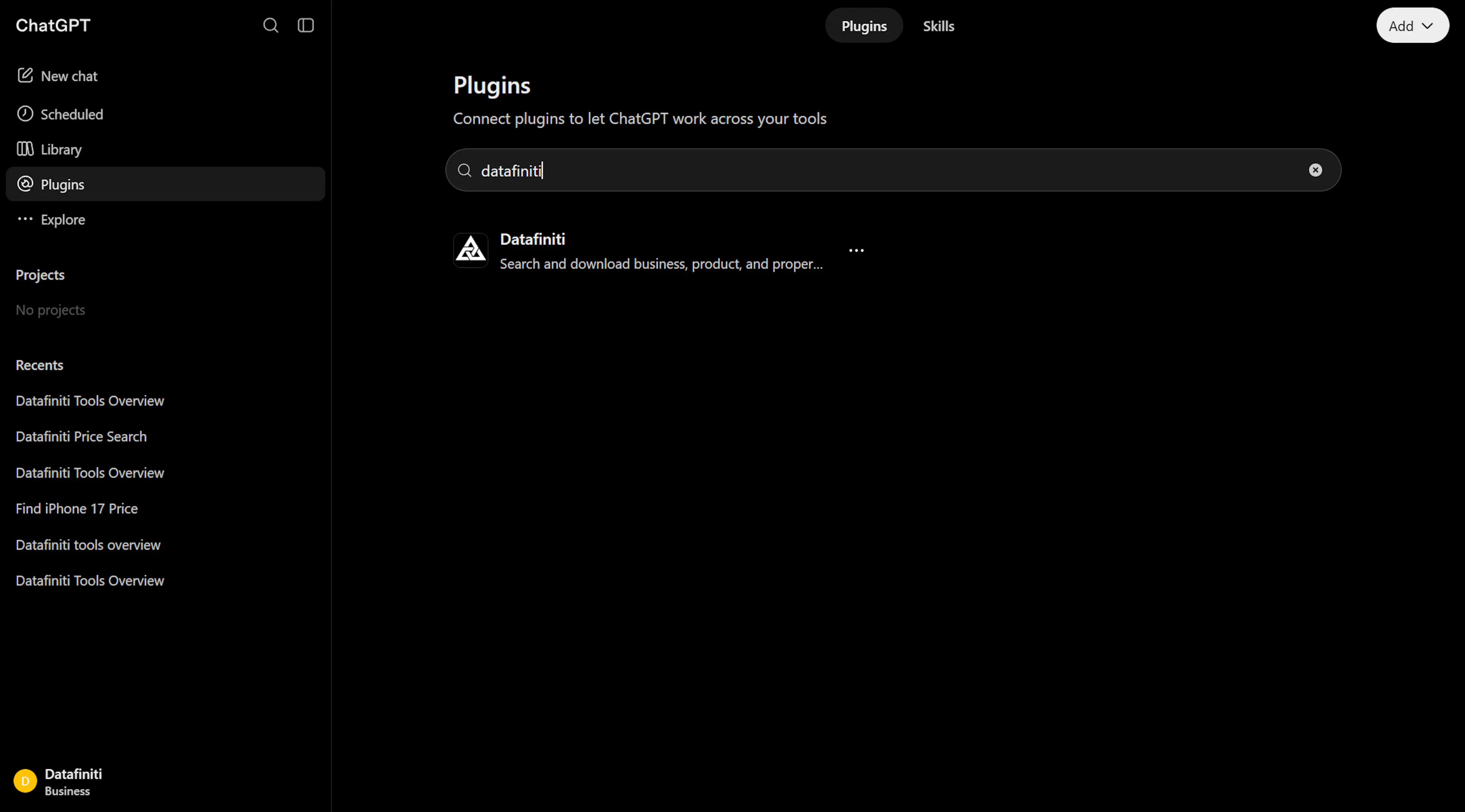
If your ChatGPT or Codex environment supports MCP connectors, point it at the Datafiniti MCP server and it can call df_search, df_count, df_start_download, and the other tools on its own.
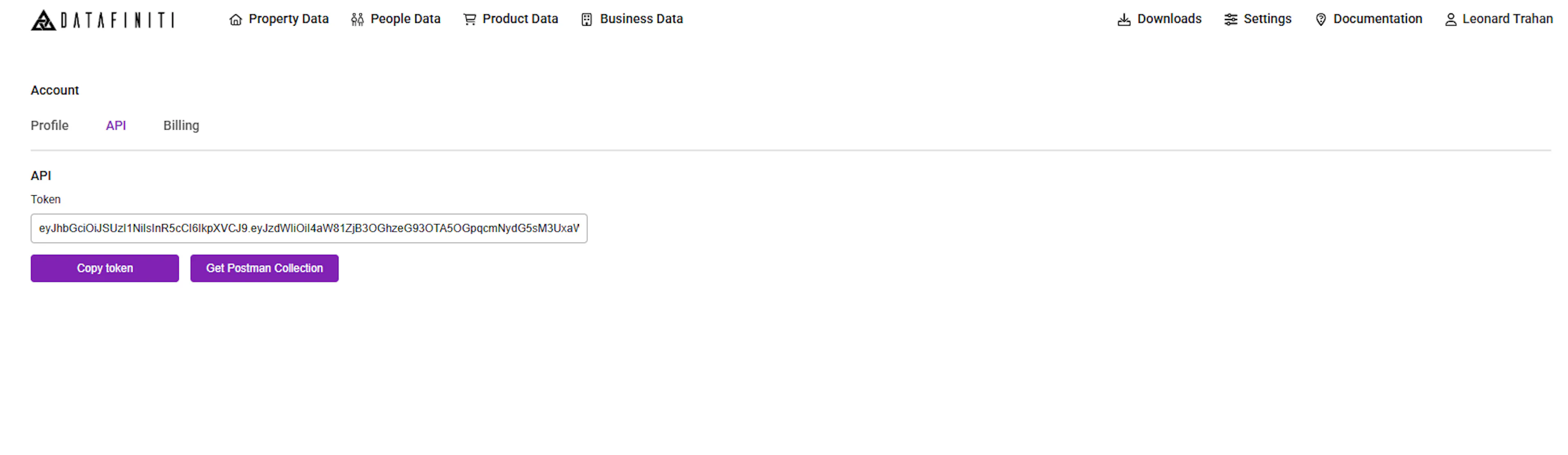
1. Get your API token
Use the same bearer token as REST, from the Datafiniti Web Portal. It regenerates whenever you change your password.
2. Add the connector
Add a new MCP connector with:
URL:    https://api.datafiniti.co/v4/mcp
Auth:   Bearer AAAXXXXXXXXXXXX
Use the Streamable HTTP transport. Once connected, the model can list the Datafiniti tools and prompts and call them during a conversation.
For the full tool reference, behavior, and defaults, see MCP Server.
Option C — Plain conversation (no connection)
You don't need any integration to get value here. Describe what you're looking for, paste in the relevant query-construction guide or schema, and let the model draft a query. Then run that query yourself in Postman, cURL, or an SDK.
This keeps your credentials out of the model entirely — the model only writes the query; you run it. It also works on any ChatGPT or Codex surface, including ones with no tool support.
Give the model the right context
Models produce far better Datafiniti queries when you paste in the relevant guide for your data type — for example Constructing Property Queries — and the Possible Values page for any status or enum fields.
Example conversation
A plain-conversation exchange might look like:
You: I want US single-family homes currently for sale. Build me a Datafiniti property query.
Model:
country:US AND propertyType:"Single Family Dwelling" AND mostRecentStatus:"For Sale"
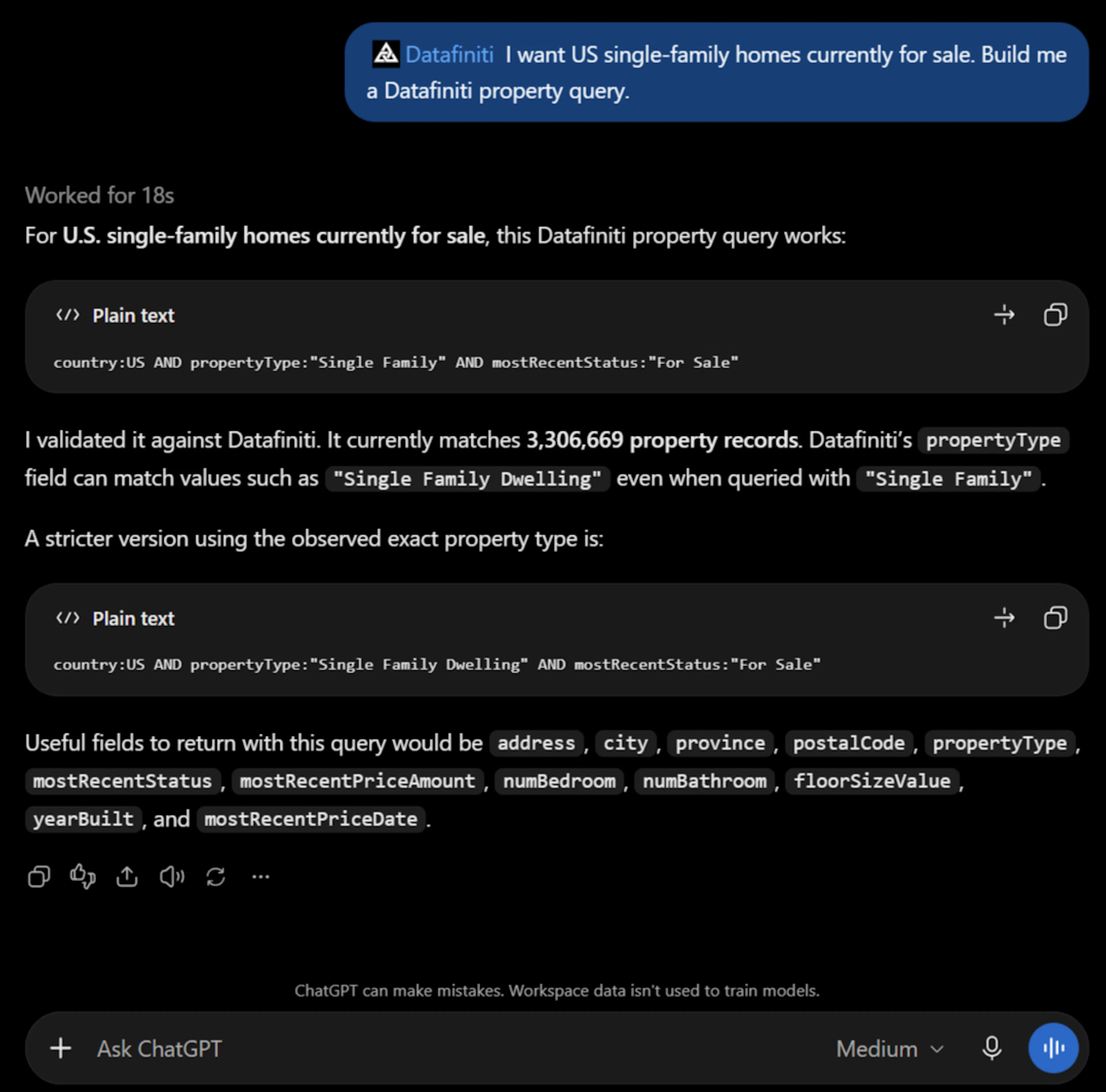
Screenshot: the model building a query in a plain conversation, with no integration attached.
You'd then run that query — escaping the quotes for the API — in whichever client you prefer.
Credits and permissions
- In Option A/B, the model runs real queries, so searches and downloads charge credits exactly as REST does, under your token's permissions.
Credit limit
Please note that your credit limit is tied to your Datafiniti account. For more information on credits and how they work.
- In Option C, building a query costs nothing; only running it (yourself) uses credits.
Next steps
- Want an agent to run queries end-to-end? See MCP Server.
- Working in a data type? See its "…with AI" page for fields, statuses, and prompts.