

People Data with Postman MCP
Drive the Datafiniti MCP tools against people data by hand in Postman — count, search, refine, and start a download.
Postman — People Examples
This guide walks through calling the Datafiniti MCP tools against people data by hand in Postman — selecting a tool, filling in its argument form, sending, and reading the response. It assumes you've already connected Postman to the MCP server and authenticated; if not, start with the Postman guide for download, token, request, and connection setup.
Everything here uses the same tools and data_type parameter as the other data types; what changes are the fields and views specific to people records. For the field reference, see the People Data Schema and Constructing People Queries. For the full tool reference, see MCP Server.
The goal
We'll find people with a "Chief Executive Officer" title in the US — first counting them, then pulling a sample with contact fields, then narrowing, then starting a download.
1. Count with df_count
Select the df_count tool and fill in data_type and query:
{
  "data_type": "people",
  "query": "country:US AND title:"Chief Executive Officer""
}
Send it. df_count returns a match count with no records and no credit cost:
{
  "num_found": 398933
}
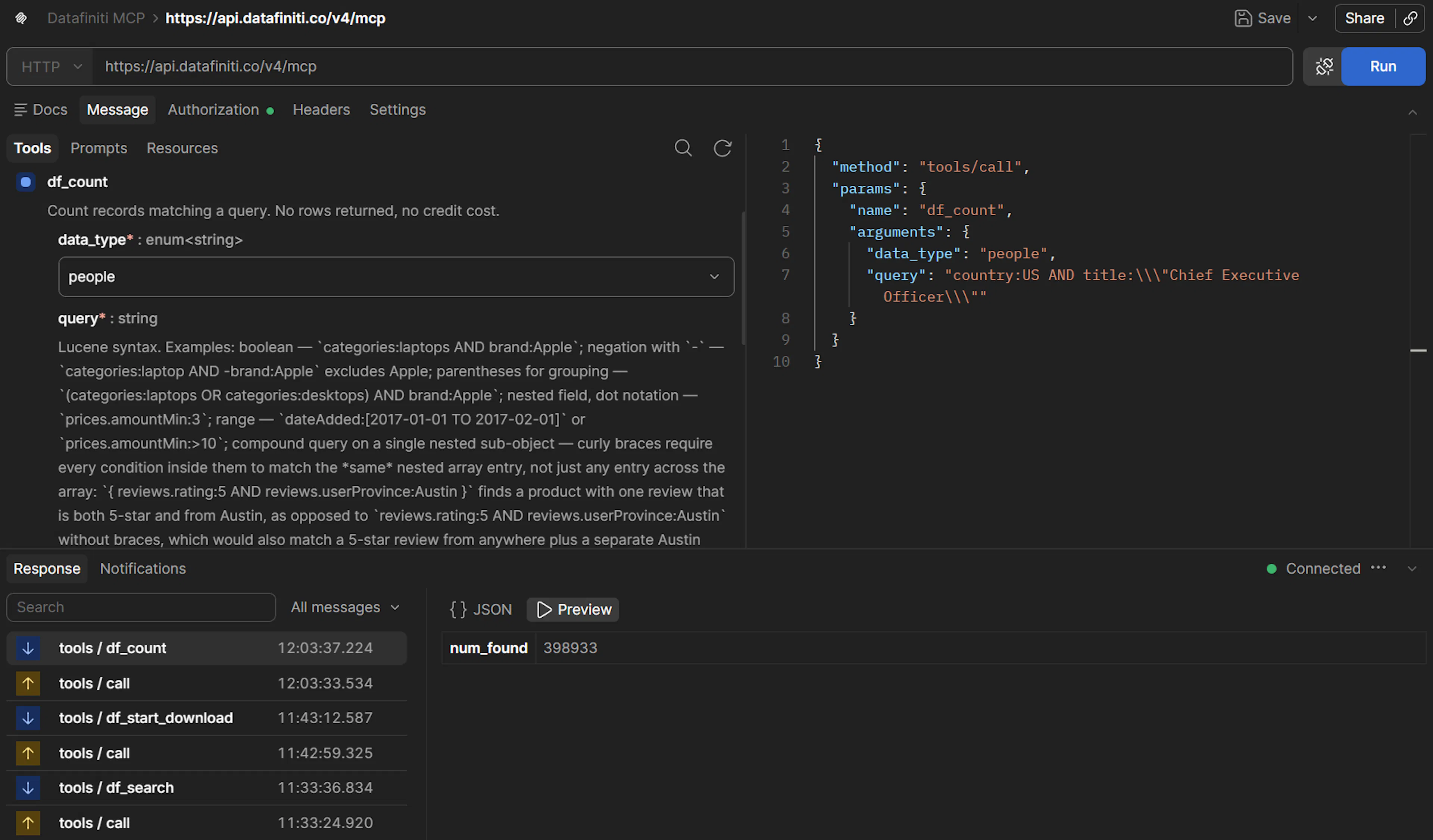
Count first, spend nothing
A count is free — use it to confirm the query before spending credits. A count of 0 is a valid result, not an error; if you expected matches, check field names against the schema and confirm any exact-match values.
2. Search with df_search
Select df_search. Add num_records and a view:
{
  "data_type": "people",
  "query": "country:US AND title:"Chief Executive Officer"",
  "num_records": 5,
  "view": [{"name": "firstName"}, {"name": "firstName"}, {"name": "jobTitle"}, {"name": "businessName"}, {"name": "emails"}, {"name": "phones"}, {"name": "city"}, {"name": "province"}]
}
Send it. The response has the same shape as a REST search:
{
  "num_found": 41922,
  "total_cost": 5,
  "records": [
    {
      "name": "…",
      "title": "Chief Executive Officer",
      "company": "…",
      "emails": ["…"],
      "phones": ["…"]
    }
  ]
}
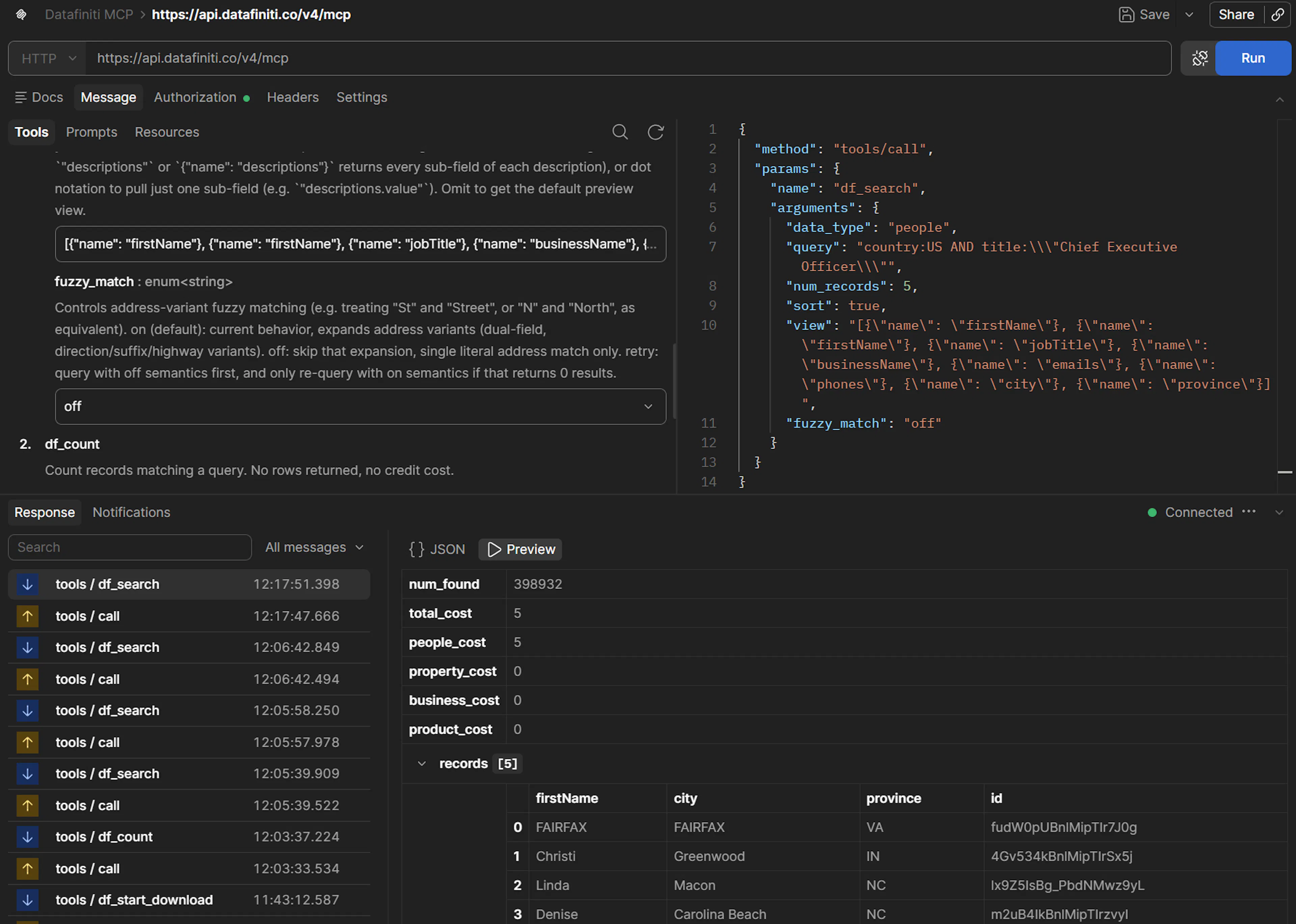
Quoting exact-match values
Exact-match values use double quotes in the query: title:"Chief Executive Officer". Postman sends the JSON body as-is, so escape the inner quotes as \" in the argument form. That's JSON encoding, not query syntax.
3. Narrow the query
People queries combine field conditions with boolean operators, negation, and parentheses. Narrow to a city:
{
  "data_type": "people",
  "query": "country:US AND title:"Chief Executive Officer" AND city:Chicago"
}
Or match more than one title with parentheses:
{
  "data_type": "people",
  "query": "country:US AND title:("Chief Executive Officer" OR "Chief Operating Officer")"
}
4. Choose fields with a view
The view argument takes a JSON array of {"name": "<field>"} objects — each entry is an object with a name key, not a bare string. The array in step 2 uses exactly that form:
{
  "view": [
    {"name": "name"},
    {"name": "title"},
    {"name": "emails"},
    {"name": "phones"}
  ]
}
Nested sub-fields use dot notation in the field name. For the available saved views, see Available Views for People Data.
5. Start a download with df_start_download
For the full set, select df_start_download and add a format:
{
  "data_type": "people",
  "query": "country:US AND title:"Chief Executive Officer"",
  "format": "JSON",
  "view": [{"name": "firstName"}, {"name": "firstName"}, {"name": "jobTitle"}, {"name": "businessName"}, {"name": "emails"}, {"name": "phones"}, {"name": "city"}, {"name": "province"}]
}
It returns a JSON object with the new download id. Copy the id into df_download_status and poll:
{
  "download_id": "…"
}
The status comes back as queued, running, completed, or cancelled. Once completed, the response includes result-file links, valid for 7 days.
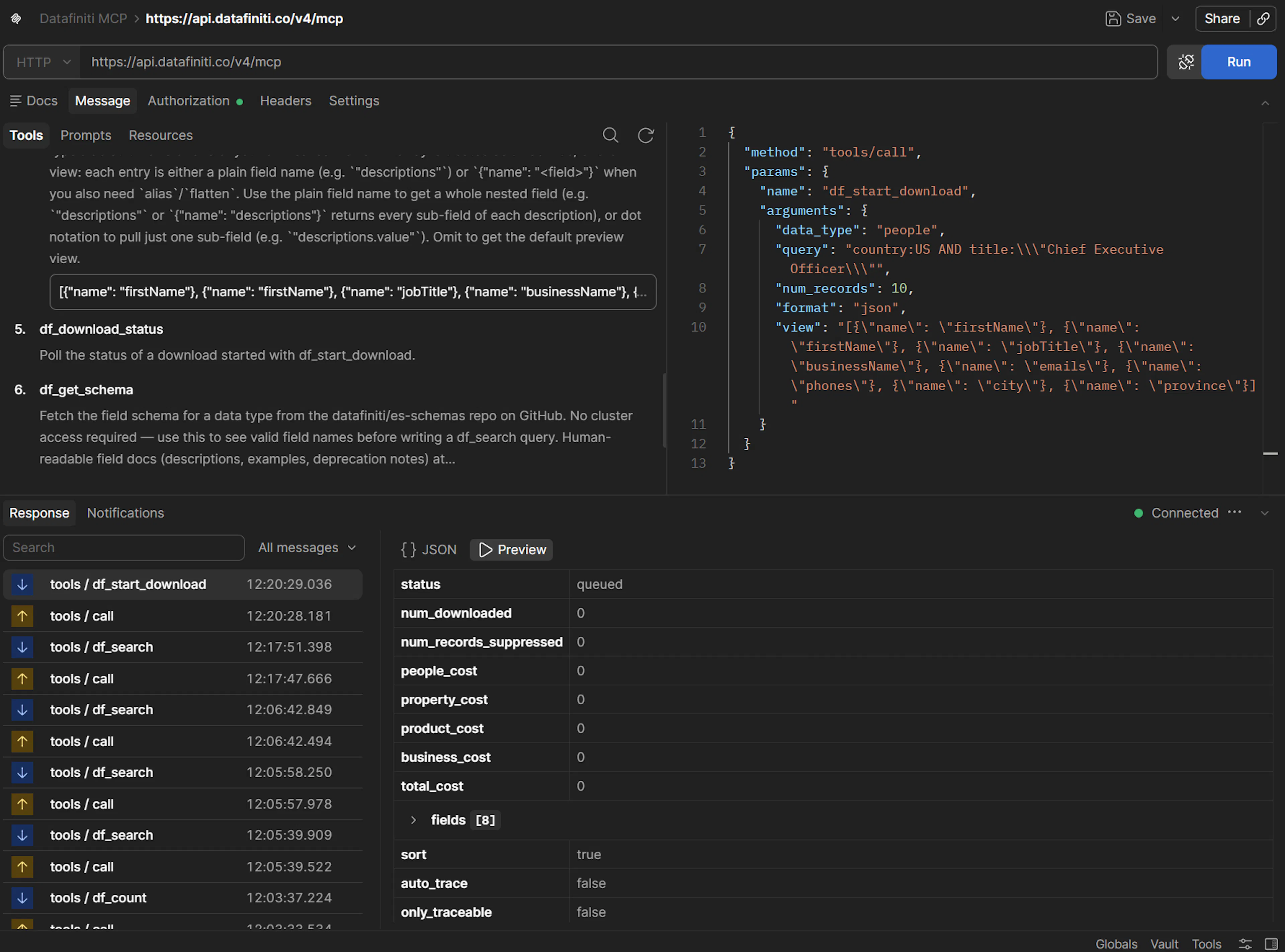
Download size follows your plan
How many records a download can return is governed by your subscription plan. To page a smaller set by hand, df_search returns up to 50 records across calls.
6. Try a people prompt
Select a prompt such as gather_people_contact_info or link_people_to_property from Postman's prompt list. It returns a ready-to-run query; copy that into df_search or df_start_download to run it.
For the full list of people prompts, see People Data with AI.
Next steps
- Same flow for Property, Product, or Business.
- Setup and connection: Postman.
- Full tool reference: MCP Server.